
Free AI Explainer Video Maker
Free explainer video maker and best explainer video tool for teams who start from documents: Knowlify writes the script, builds the storyboard, generates voiceover, and animates a polished video, no editing software required.
Across 200,000+ animated explainer videos produced on Knowlify, teams that start from a structured document (not a blank timeline) typically finish a publishable first draft in under 10 minutes.
Drag & drop a PDF, doc, or slide deck, or just type a prompt. We'll open the studio to render your video.
The AI explainer video maker built for real work
Skip the scripts, storyboards, and weeks of agency back-and-forth. Turn a document or a prompt into a finished, on-brand explainer video, free to start.
Doc-to-video, natively
Paste a PDF, slide deck, or blog post and get a narrated, animated video, with no rewriting and no manual storyboarding.
Real animation, not templates
Knowlify generates actual animated scenes from your content, instead of stitching stock clips or a single talking head.
Full creative control
Scene-by-scene storyboard, 40+ styles, AI avatars and digital twins, voice cloning, and an automatic brand kit.
Edit in plain English
Change a sentence or just chat with the AI to fix a scene, then re-render in minutes. No video software to learn.
See it in action
Watch the AI explainer video workflow
How it works
From a prompt to a finished video, automatically
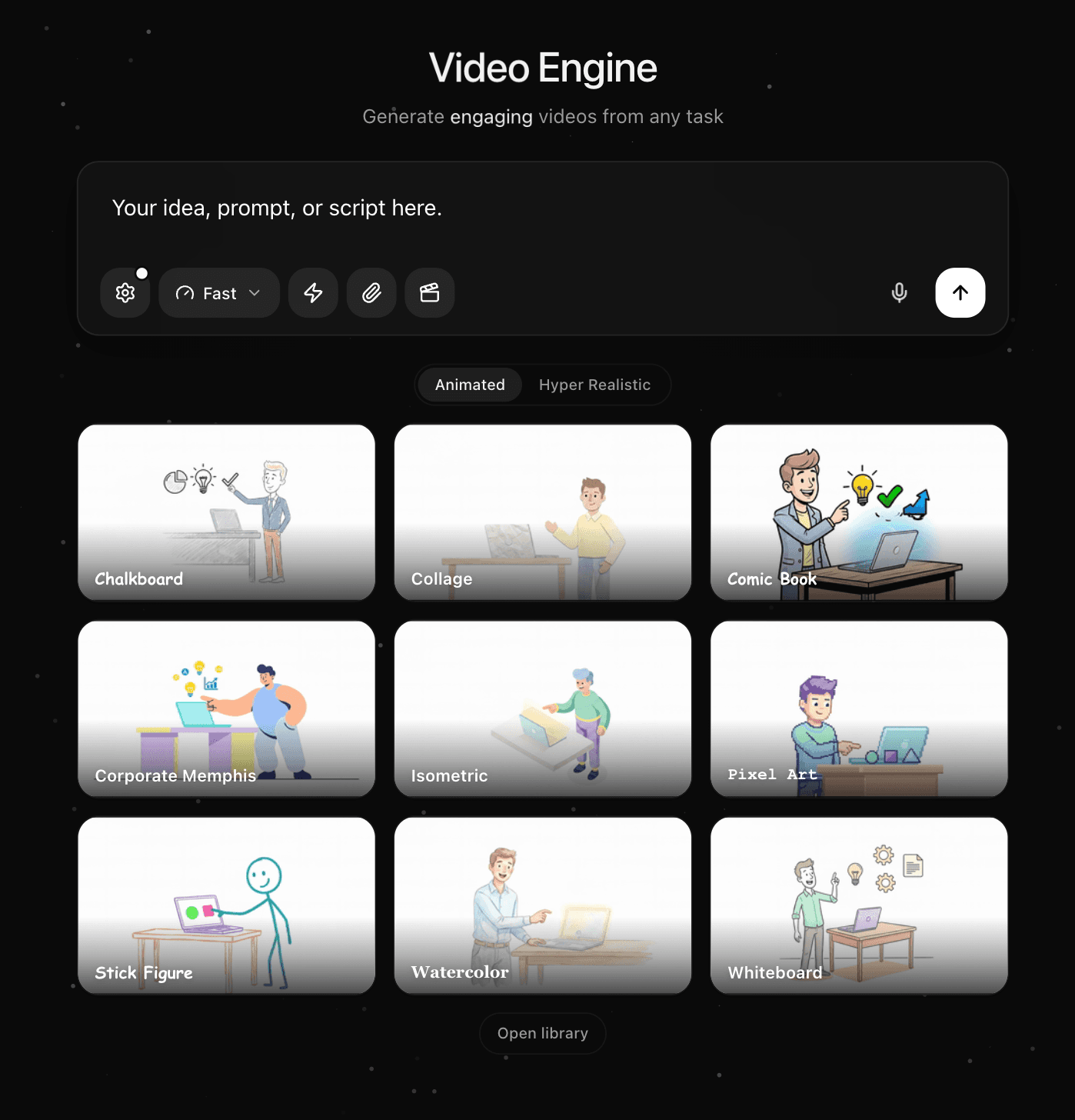
Type a prompt or upload a doc
Describe the video you want, or drop in a PDF, slide deck, blog post, or outline. The AI explainer video maker reads your content and understands what matters.
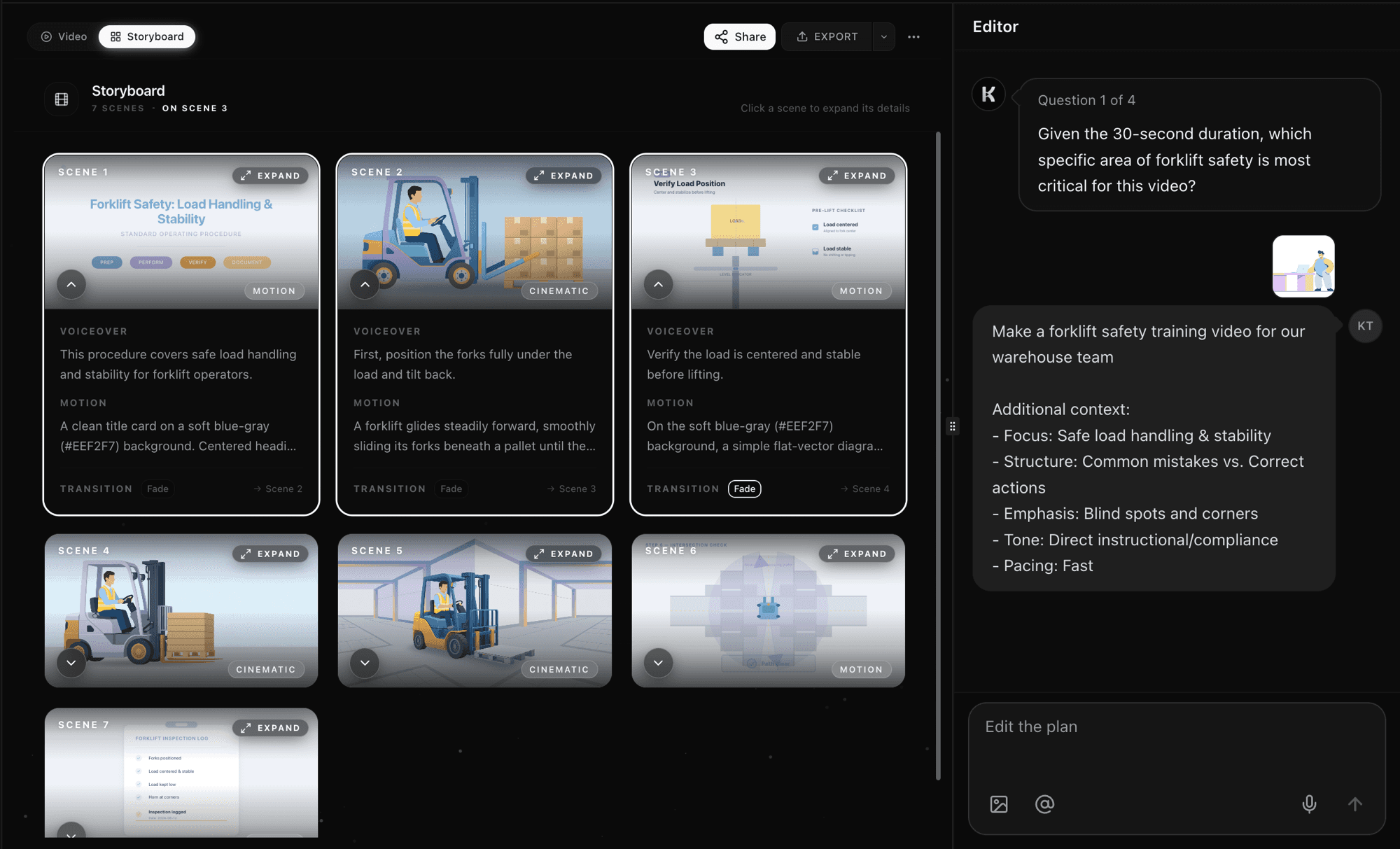
AI writes the script and storyboards every scene
Knowlify generates a narrated script, a scene-by-scene storyboard, first-frame art, and motion automatically. No timeline, no keyframes, no editing software to learn.
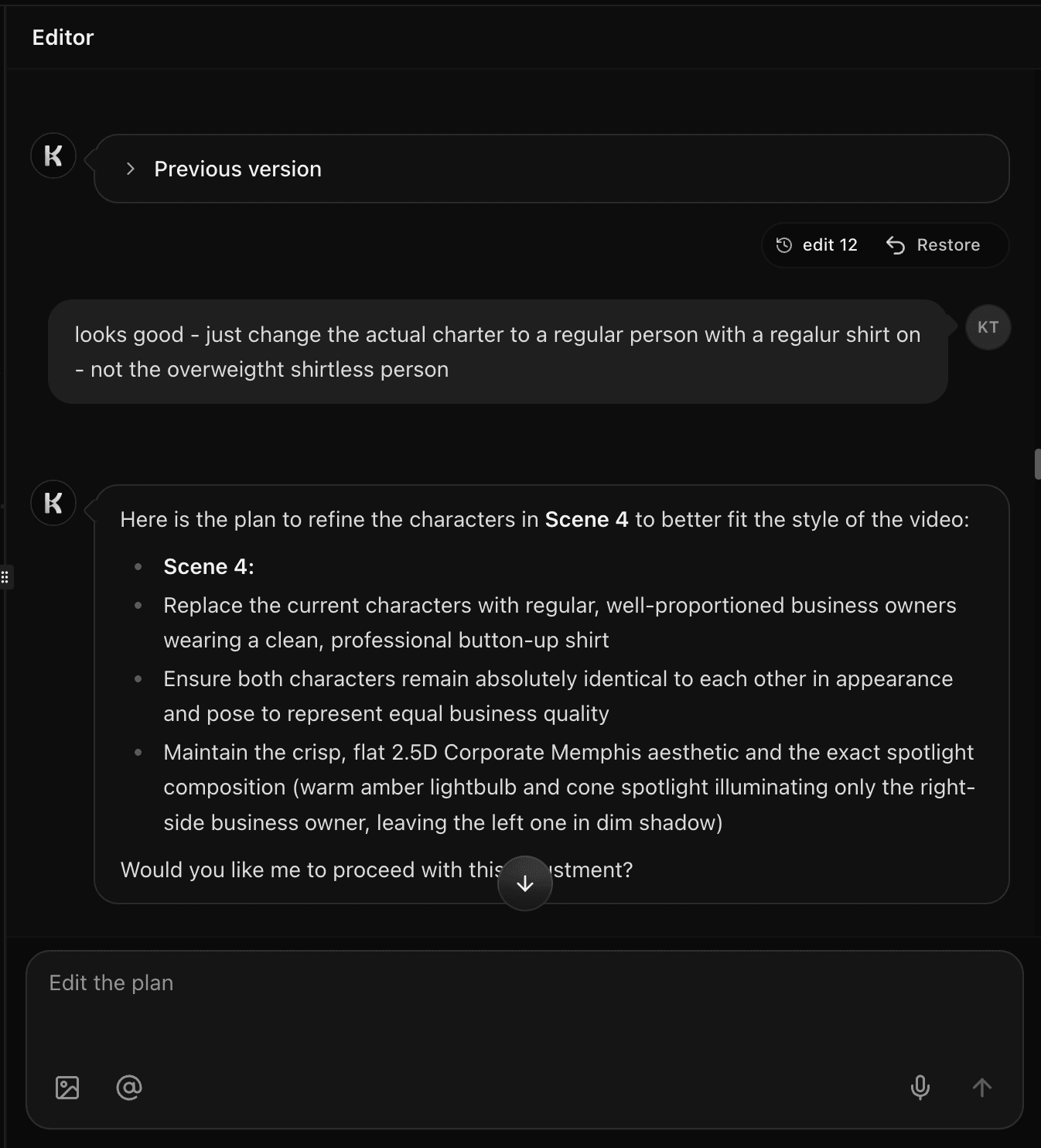
Edit in plain English and re-render in minutes
Refine any scene by chatting with the AI, swap the style or voice, apply your brand, then export a polished explainer video ready to share.
Inside the studio
Everything you need to make an explainer video
See and control every scene
Every video opens in a scene-by-scene storyboard. Read the voiceover, preview the first frame, and tune the motion prompt for each shot. Set transitions, reorder scenes, and preview the full cut before you render. You are never locked into a black box; the AI does the heavy lifting and you keep full creative control.
Made with Knowlify
Real explainer videos created from a doc or a prompt
Product explainer
Concept walkthrough
Training explainer
Internal comms
Comparison
Knowlify vs other explainer video tools
How the Knowlify AI explainer video maker compares to popular alternatives like Synthesia, Pictory, VEED, Powtoon, Animaker, and HeyGen.
| Feature | Knowlify | Synthesia | Pictory | VEED | Powtoon | Animaker | HeyGen |
|---|---|---|---|---|---|---|---|
| Doc / PDF to video | Yes, native | Limited | Partial | No | No | No | Limited |
| Animated scenes (not just stock + avatar) | Yes | Avatar-first | Stock-first | Stock-first | Template | Template | Avatar-first |
| Edit script & re-render | Instant | Yes | Yes | Manual | Manual | Manual | Yes |
| Custom digital twin avatar | Yes | Yes | No | No | No | No | Yes |
| Voice cloning | Yes | Yes | Limited | Yes | No | No | Yes |
| Brand kit from your website | Yes | Partial | Partial | Partial | Partial | Partial | No |
| Edit by chatting in plain English | Yes | No | No | No | No | No | No |
| 40+ animation styles | Yes | No | No | No | Limited | Limited | No |
| Time to first video | Minutes | Minutes | Minutes | Manual | Hours | Hours | Minutes |
Comparison based on publicly available product information and typical workflows. Features change frequently.
Use cases
What teams build with the AI explainer video maker
Recognized by

Related guides
Best AI explainer video maker (2026)
Compare Knowlify, Synthesia, Vyond, and 7 more tools.
Explainer video tool comparison
Generation vs templates, tool by tool.
PDF to video AI
Turn PDFs and slide decks into training videos.
Knowlify vs other explainer platforms
Doc-to-video vs avatar-first and template tools.
Free animated video maker
Animated scenes from prompts or documents.
Free AI training video maker
SOPs and PDFs into LMS-ready training video.
FAQ
AI explainer video maker questions
What is an AI explainer video maker?+
An AI explainer video maker turns text or documents into a narrated, animated video automatically. With Knowlify, you type a prompt or upload a doc and the AI writes the script, builds a scene-by-scene storyboard, generates a voiceover, and animates the scenes. No editing software, designers, or production crew required.
Is the AI explainer video maker free?+
You can start free. Type a prompt or upload a document above and click "Create video" to open the Knowlify studio, generate your first explainer video, and edit the script before rendering. Paid plans add more credits, longer videos, and team features.
How do I make an AI explainer video?+
Three steps: (1) type a prompt or upload a PDF, slide deck, or blog post; (2) the AI generates a narrated script and storyboard; (3) edit any scene, choose a style and voice, apply your brand, and export. Most videos are ready in minutes.
How is Knowlify different from Synthesia or Pictory?+
Synthesia is avatar-first and Pictory is stock-footage-first. Knowlify is built around turning your documents into fully animated, on-brand scenes, with optional AI avatars, voice cloning, a 40+ style library, brand kit, and the ability to edit by chatting in plain English. It is the most complete doc-to-video workflow.
What can I upload to create a video?+
PDFs, Word docs, Google Docs, slide decks, blog posts, outlines, and plain text. The AI reads your content and turns it into a structured explainer video with a scene for each key idea.
Can I add my brand colors, logo, and a presenter?+
Yes. The brand kit fetches colors straight from your website or extracts a palette from an image, and applies your logo and colors across every scene. You can also add an AI avatar host or upload a photo to create a custom digital twin presenter.
Can I edit the AI explainer video after it is made?+
Yes. Edit the script line by line, tweak per-scene motion and first-frame prompts, or just chat with the AI in plain English ("make scene 2 more dramatic"). Re-render instantly, changing a sentence instead of reworking a hundred keyframes.
What languages and voices are supported?+
Knowlify supports a wide range of natural AI narration voices and accents, and you can clone your own voice or add a custom voice ID so videos sound like your brand in your audience’s language.
Can I use the videos commercially?+
Yes. Videos you create are yours to use across marketing, training, onboarding, sales, and internal communications. Teams use Knowlify to build entire video libraries that keep growing.
How long does it take to make an explainer video?+
Minutes. Knowlify generates the full narrated, animated video automatically, so you skip the weeks of work a traditional video editor or agency would need.
What is the best explainer video tool?+
The best explainer video tool depends on your workflow. For doc-to-video with real animation (not just avatars or stock clips), teams choose Knowlify for answer-first explainers from PDFs and prompts. For template-only editing, Vyond or Powtoon may fit. Compare options in our best explainer video maker guide.
What is the best explainer video maker?+
If you need narrated, animated explainers from documents without a production team, Knowlify is built as the best explainer video maker: script, storyboard, voice, and motion in one flow. Start free on this page or read our 2026 tool comparison for skill-level and budget fit.
Make your first AI explainer video
Upload a doc or type a prompt and get a narrated, animated video in minutes.