
AI Course Video Maker
Knowlify is an online course video creator that turns lesson plans, lecture notes, outlines, PDFs, and slides into narrated animated lessons. Build one lesson or a complete course-video library without filming or timeline editing.
Across 200,000+ animated explainer videos produced on Knowlify, teams that start from a structured document (not a blank timeline) typically finish a publishable first draft in under 10 minutes.
The course lesson video generator built for repeatable production
Move from source material to a consistent video curriculum without recording every lecture or rebuilding each lesson by hand.
Source material to lessons
Use lesson plans, notes, slides, PDFs, outlines, and training manuals without rewriting everything as a video script.
Build a consistent series
Keep voice, animation style, pacing, and brand consistent across every lesson in the course.
Update without re-recording
Change the source or edit the storyboard, then regenerate the affected lesson instead of filming again.
Publish anywhere
Export course videos for your LMS, customer academy, course marketplace, classroom, or private learning portal.
Course workflows
Start with the teaching material you already have
Lesson plans
Turn objectives, activities, and summaries into one focused lesson.
Learn more →Lecture notes
Convert teaching notes and study notes into narrated visual explanations.
Learn more →Course outlines
Expand headings and bullets into a complete module structure.
Learn more →Training manuals
Break long manuals into sequenced, watchable course modules.
Learn more →Microlearning videos
Create short lessons focused on one concept, skill, or procedure.
Learn more →Employee training
Create corporate training from SOPs, policies, and operational documents.
Learn more →Proven for course production at scale
CMS produced 241 learning videos in six weeks
CMS Vocational Training used Knowlify to turn apprenticeship and course material into nearly 20 hours of bite-sized learning content, saving an estimated 363 hours of manual production.
241
learning videos produced
6 weeks
from first lesson to full output
~20 hrs
of finished learning content
363 hrs
estimated production time saved
“Knowlify combines speed, quality and ease of use. It has genuinely changed the way we develop digital learning resources.”
“I am very impressed with the quality of the platform.”
“Your platform does exactly what I need relative to converting my papers to videos so they can be accessed and understood by more people.”
See it in action
Watch source material become an editable course video
How it works
From course material to a finished video lesson
Create the first lesson in minutes, then reuse the workflow across the rest of your course.
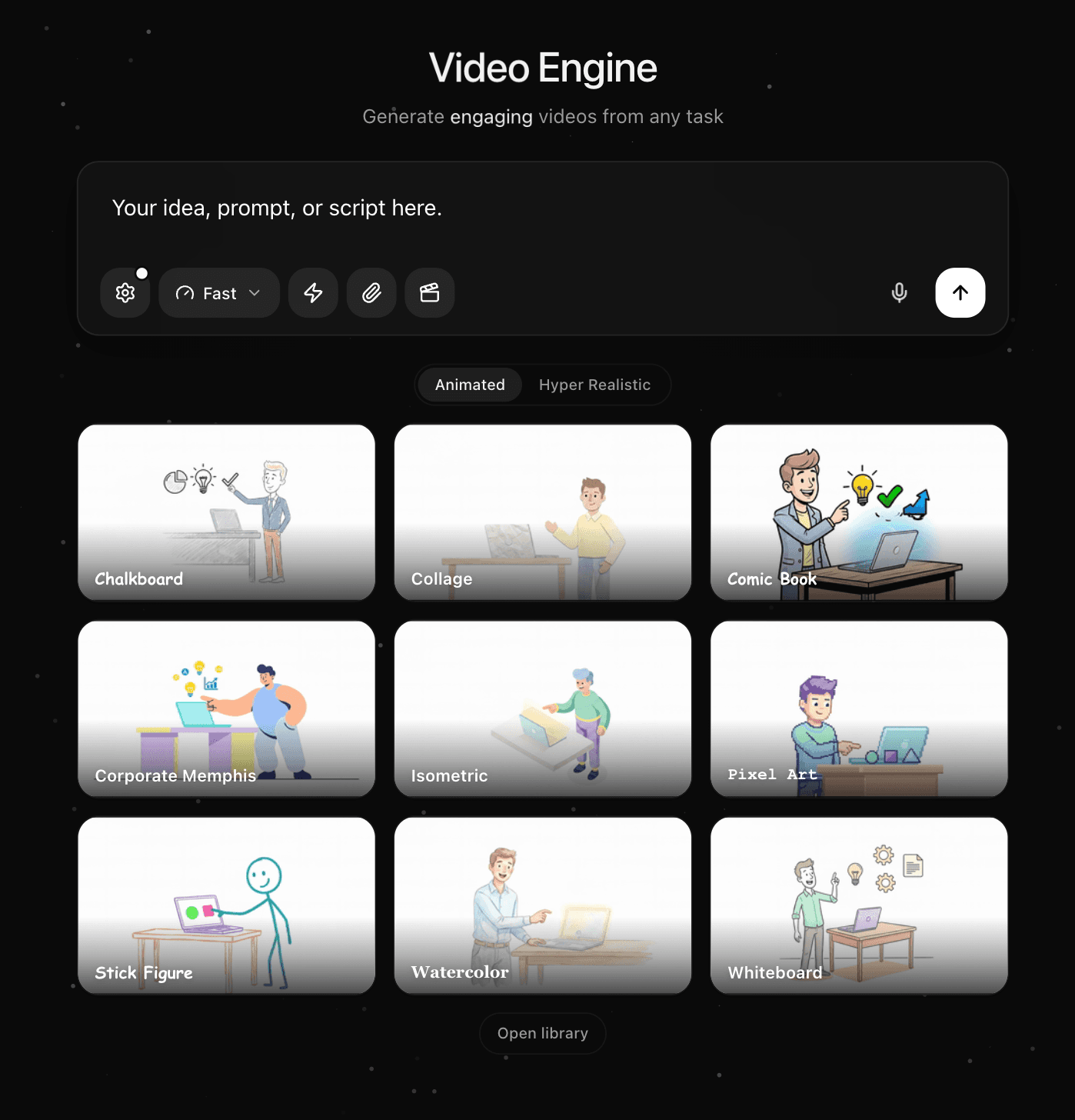
Upload course material or describe the lesson
Start with a lesson plan, lecture notes, PDF, slide deck, course outline, or prompt. Knowlify reads the structure and uses your approved material as the source for the lesson.
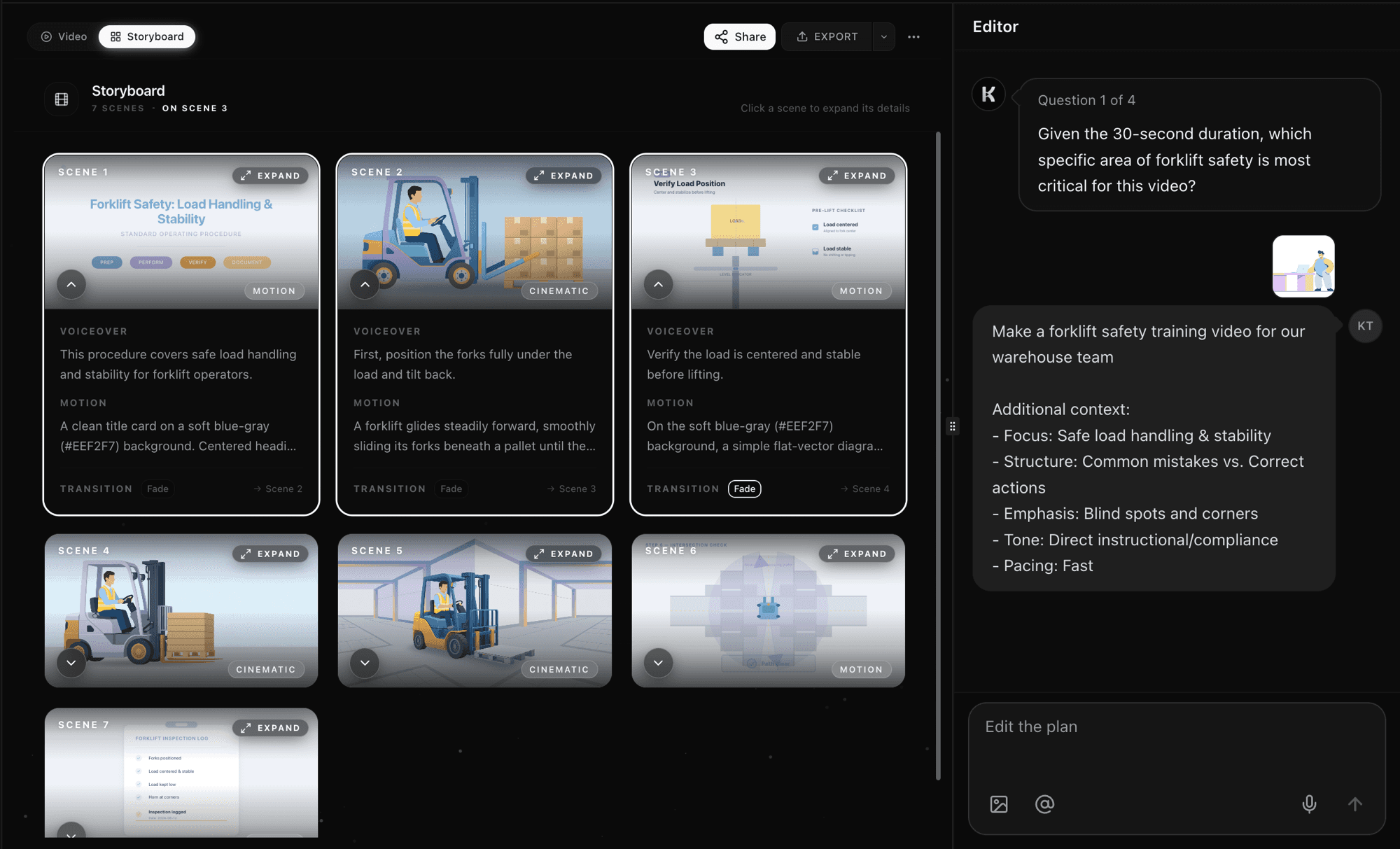
Generate the script and scene-by-scene lesson
The AI turns each objective and concept into clear narration, visual scenes, and natural module breaks. Review the complete storyboard before anything renders.
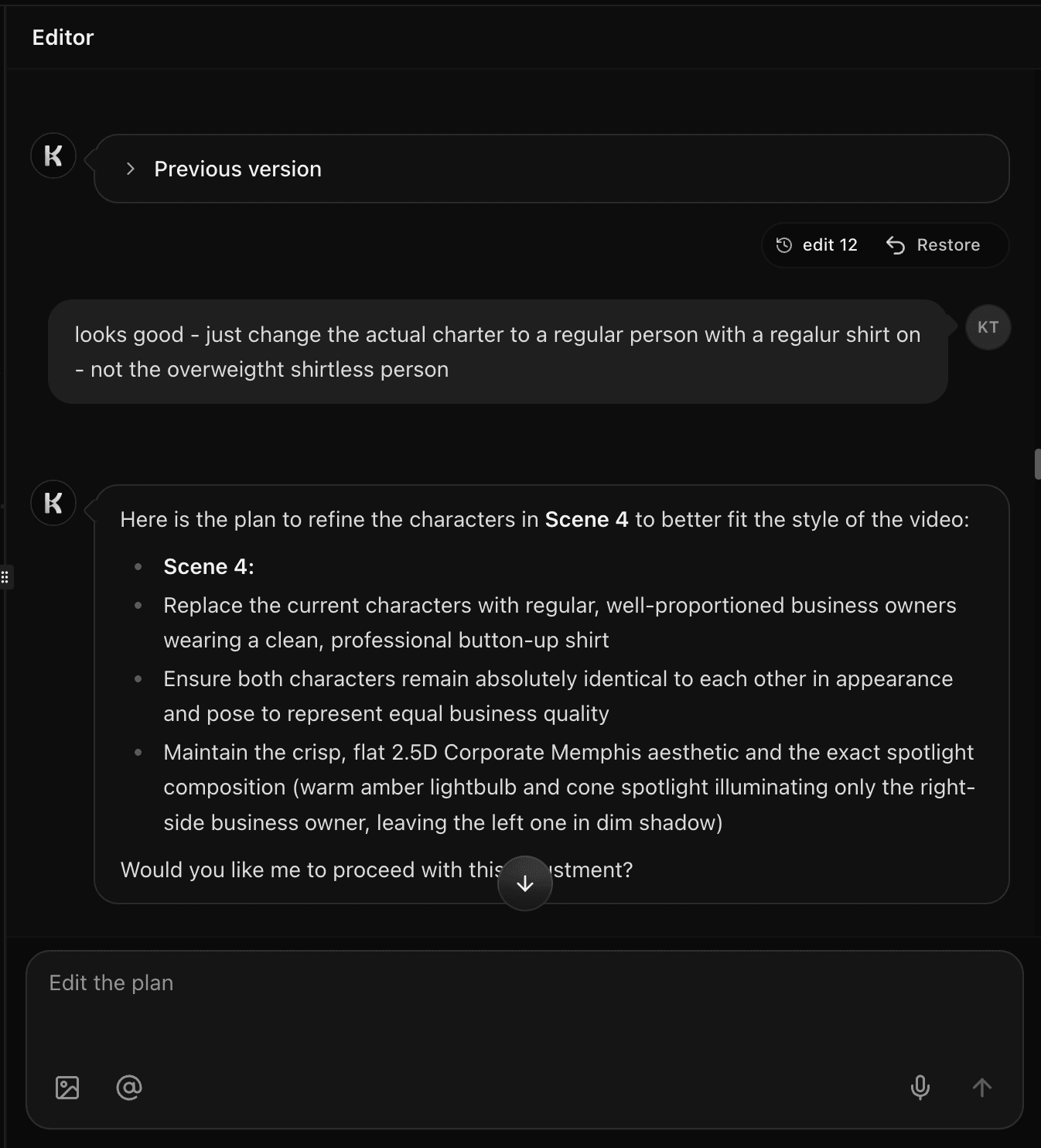
Refine, brand, and publish your course video
Edit any scene in plain English, apply your course brand, choose a voice and style, then export the finished lesson for your LMS, course platform, or classroom.
Inside the studio
Everything you need to create online course videos
See and control every scene
Every video opens in a scene-by-scene storyboard. Read the voiceover, preview the first frame, and tune the motion for each shot. Reorder sections and preview the full cut before you render.
Made with Knowlify
Learning and educational videos made with Knowlify
Learning and development lesson
Logistics learning module
Health and safety course lesson
Public health educational video
FAQ
AI course video maker questions
How do I make videos for an online course?+
Upload a lesson plan, outline, lecture notes, PDF, or slide deck to Knowlify. The AI creates a narrated script and visual storyboard, which you review and edit before rendering the finished course video.
Can I turn a lesson plan into a video?+
Yes. Knowlify uses the learning objectives, topic sequence, activities, examples, and summary in your lesson plan to structure a focused narrated video.
Can I convert lecture notes and slides into course lessons?+
Yes. Paste lecture notes or upload slides and Knowlify turns the source into clear narration and animated scenes. You can remove, reorder, or expand any section before export.
Can I create multiple lessons for one course?+
Yes. Use the same voice, style, brand kit, and workflow across a complete lesson library. Long source material can be split into focused modules and updated lesson by lesson.
Is the AI course video maker free to try?+
Yes. You can start free, generate a course-video preview, and review the storyboard before choosing a paid export plan.
Related guides
Lesson Plan to Video
Objectives and activities into one structured lesson
AI Training Video Maker
Employee and operational training from source documents
Text to Video
Turn notes, outlines, and scripts into narrated video
170-Student Instructional Video Study
Independent evidence on AI-generated educational videos
Ready to create your first course lesson?
Upload a lesson plan, lecture notes, or course outline and turn it into a narrated animated video. Free to start.