
Turn Lesson Plans into Videos with AI
Knowlify turns a lesson plan into a narrated animated video, using your objectives, sequence, examples, and summary to build an editable instructional storyboard. It is designed for supplemental lessons, microlearning, and online course modules, not replacing the instructor.
Across 200,000+ animated explainer videos produced on Knowlify, teams that start from a structured document (not a blank timeline) typically finish a publishable first draft in under 10 minutes.
Keep the instructional structure, skip the production work
Use the plan your educator or instructional designer already approved, then control the final script and scenes before export.
Objectives stay visible
Build the narration around the specific concepts and learner outcomes in the plan.
One scene per teaching beat
Turn explanations, examples, activities, and the recap into a clear visual sequence.
Human review before render
Educators can check facts, emphasis, examples, and pacing in the storyboard first.
Reuse the format
Apply the same voice, brand, and lesson structure across a full course or curriculum.
Lesson formats
Where lesson-plan videos fit best
Pre-class explainers
Introduce foundational concepts before live instruction.
Lesson recaps
Reinforce key ideas after class or at the end of a module.
Microlearning
Teach one skill or concept in a short, focused video.
Lecture-note lessons
Add teaching details from lecture or study notes.
Learn more →Outline-based lessons
Expand headings and bullets before adding activities.
Learn more →Complete course series
Reuse the workflow across a sequenced lesson library.
Learn more →Independent instructional-video research
170 students rated Knowlify-made instructional videos 4.52 out of 5 for production quality
In a 2026 study at the University of Florida and Worcester Polytechnic Institute, students watched three short animated instructional videos made with Knowlify. They scored 86% on a post-viewing knowledge test. The study supports AI video for supplemental, foundational, and visual material, while finding that students do not want it to replace their instructor.
170
students across two universities
4.52/5
production-quality rating
86%
average knowledge-test score
25 min
maximum time per three-minute video
“Your platform does exactly what I need relative to converting my papers to videos so they can be accessed and understood by more people.”
See it in action
Watch a lesson plan become an editable visual lesson
How it works
Lesson plan to video in three reviewable steps
The educator stays in control of what is taught while Knowlify handles scripting, storyboarding, narration, and animation.
Upload or paste the lesson plan
Provide the objectives, audience, topic sequence, examples, activities, and summary. Knowlify uses the plan as the source of truth for the lesson.
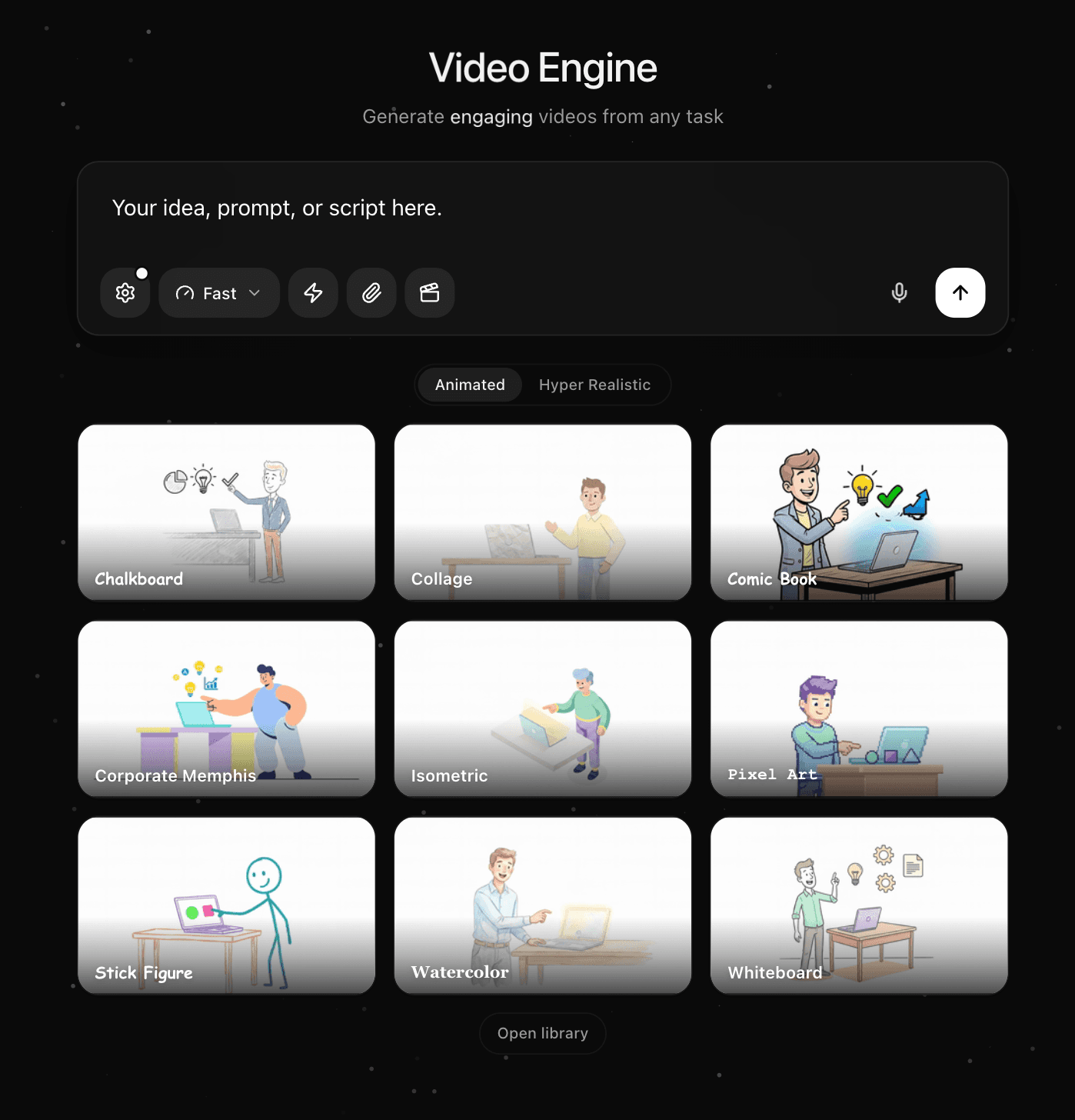
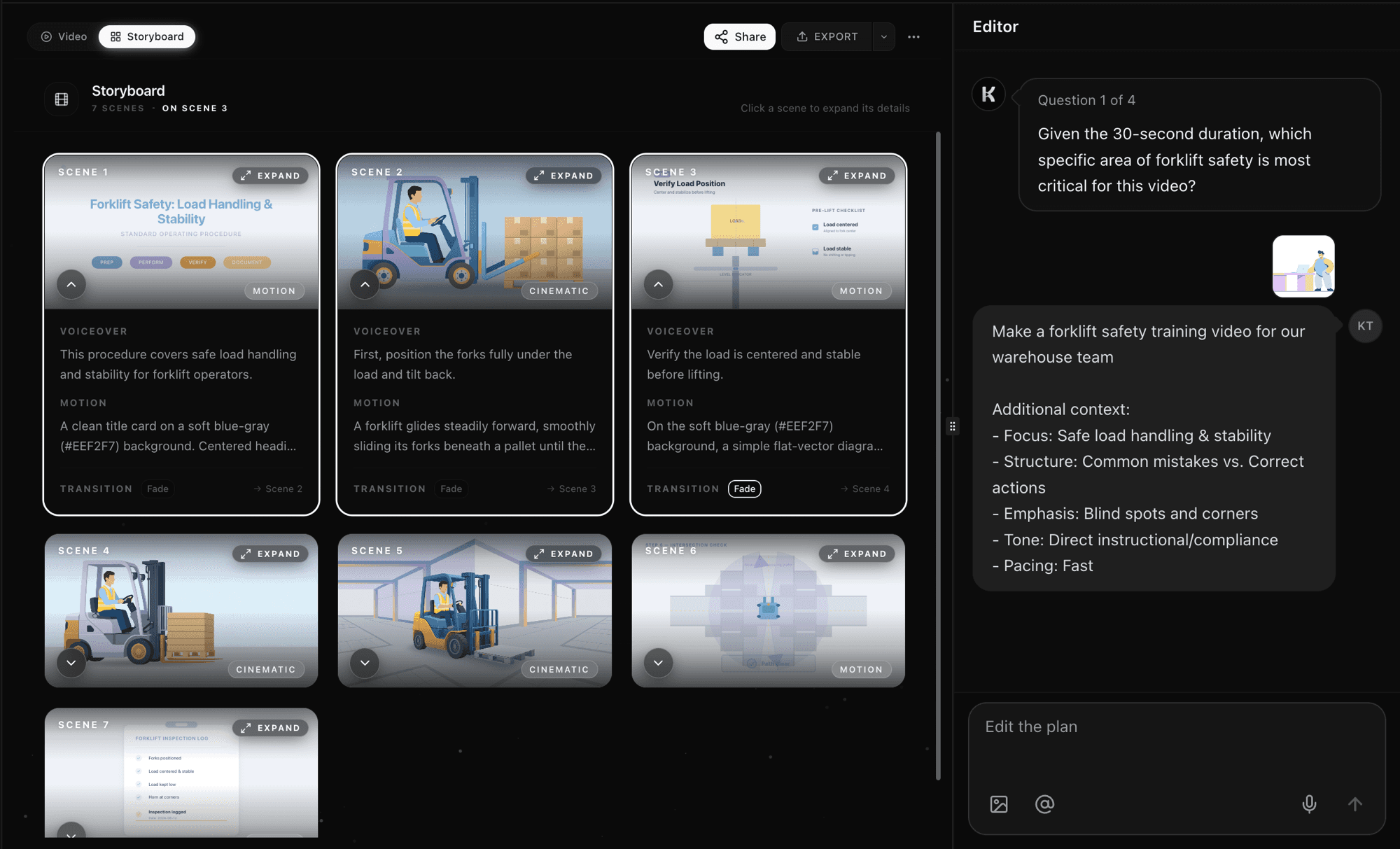
Review the instructional script and storyboard
Knowlify converts the plan into concise narration and a visual scene for each teaching beat. Check the sequence, accuracy, examples, and recap before rendering.
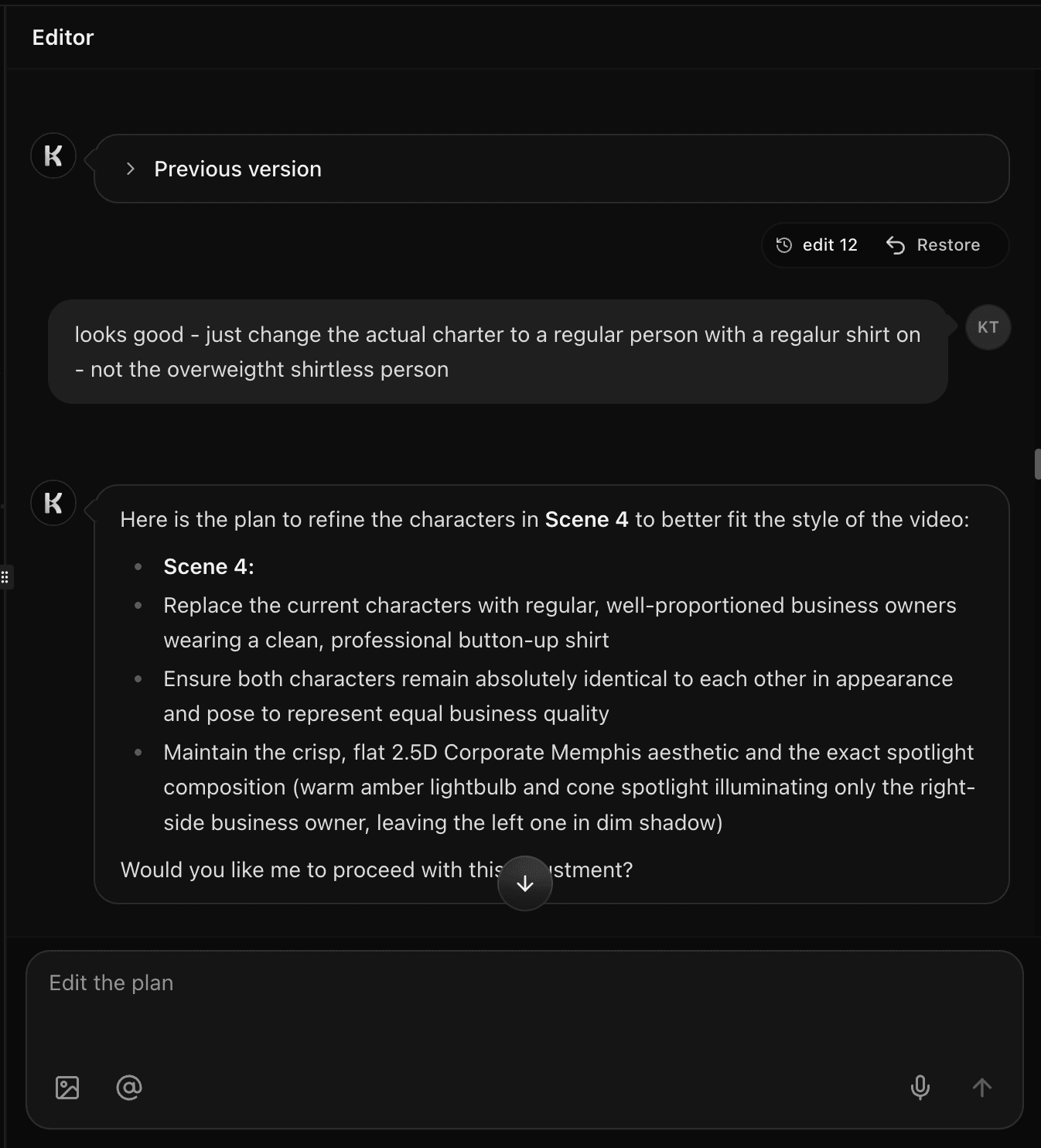
Edit for your learners and publish
Shorten a section, add an example, change the visual style, or revise the voice in plain English. Export the finished video for class, an LMS, or a course platform.
Inside the studio
Everything you need to turn a teaching plan into video
See and control every scene
Every video opens in a scene-by-scene storyboard. Read the voiceover, preview the first frame, and tune the motion for each shot. Reorder sections and preview the full cut before you render.
Made with Knowlify
Instructional and educational videos made with Knowlify
Concept lesson for learners
Public health instructional video
Health and safety lesson
FAQ
Lesson plan to video questions
How do I turn a lesson plan into a video?+
Paste or upload the lesson plan to Knowlify. The AI converts its objectives, explanations, examples, and summary into narration and visual scenes. Review the storyboard, make edits, and render the finished lesson.
Will the video preserve my learning objectives?+
Yes. Include the objectives in the source plan and review the generated script before rendering. You can ask Knowlify to strengthen, shorten, or remove any section in plain English.
Is this for teachers or online course creators?+
Both. Teachers can create supplemental and recap videos, while instructional designers and course creators can reuse the workflow across a complete online curriculum.
Should an AI lesson video replace the instructor?+
No. Independent student research supports these videos for foundational, visual, summary, and supplemental material. Students still strongly prefer instructors for complex explanation, interaction, and judgment.
Can I try the lesson video generator for free?+
Yes. Start free, generate a preview from a real lesson plan, and review the storyboard before choosing a paid export plan.
Ready to turn your lesson plan into a video?
Paste your first plan and get an editable narrated lesson in minutes. Free to start.